ROUTINES
Routines that keep repeat work moving
Schedule work your bots should do on a regular basis, like a daily briefing or a recurring check, and review every run from one calendar.
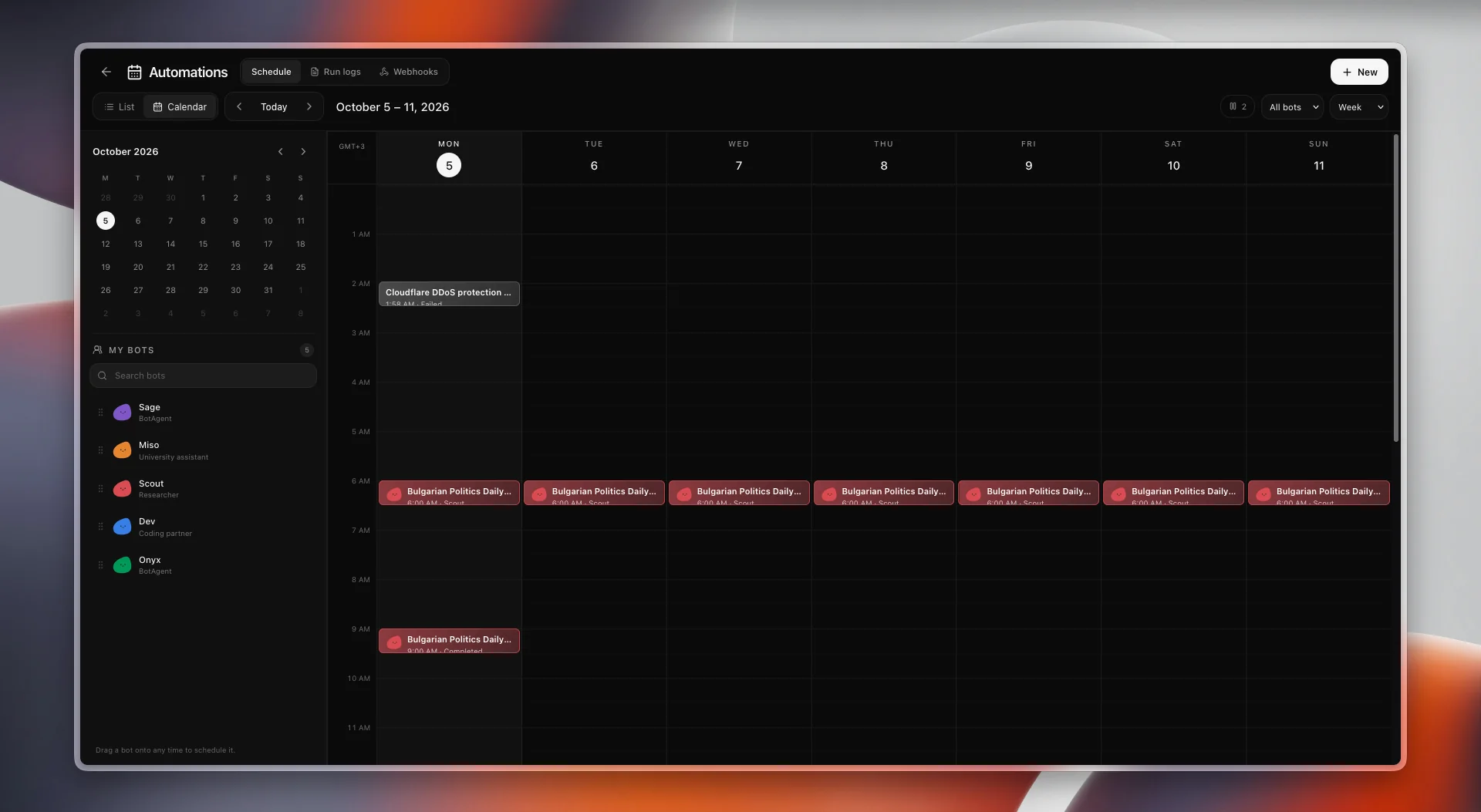
Schedule by dragging
Drag a bot onto any time in the calendar to schedule it, or create a new routine from the automations screen. Filter the calendar by bot and switch between week and list views.
Check every run
Each run appears in the calendar with its status, so a completed briefing and a failed check are easy to tell apart. Run logs show what happened in detail.
Webhooks alongside schedules
The automations screen also includes webhooks, next to the schedule and the run logs.
Tazmu is still in development. Screenshots show a pre-release build, and details may change before launch.
Be there when Tazmu launches.
Join the waitlist and we’ll email you once when Tazmu is ready.
Join the waitlist